Research Your History
Deep Search with AI analyzes what you were researching, imports fresh web results into your browser, and can email you recurring digests.
 Swiss Army Tabs
Intelligible browsing history • macOS
Intelligent answers, not links. Swiss Army Tabs turns your raw browser history into plain-English answers about what you were researching — then backs up, navigates, restores, and organizes every tab across Safari, Chrome, Edge, and Firefox.
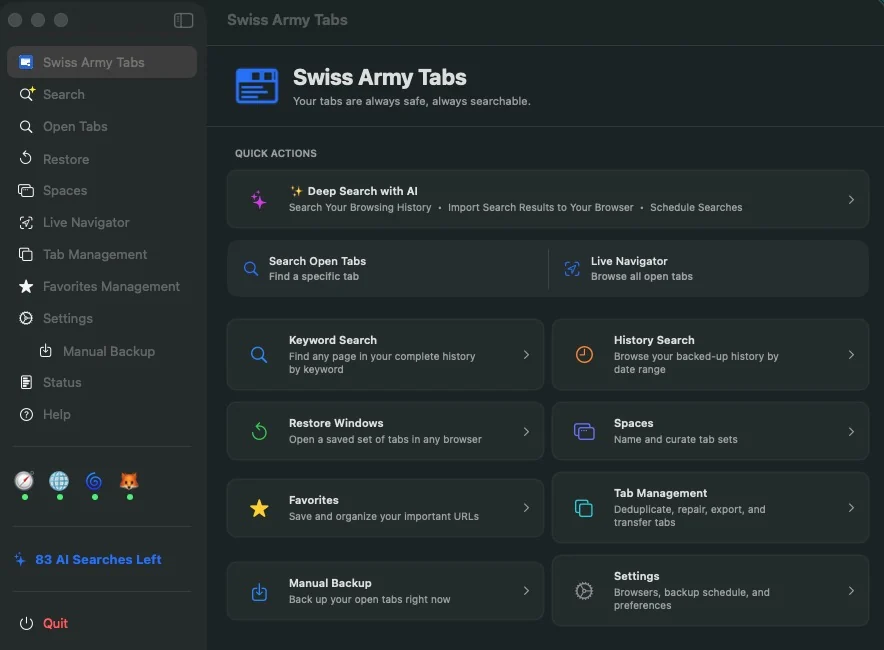
“A year from now, you’ll be glad it was running.”
Deep Search with AI
Keyword search is great when you remember the words. Deep Search helps when you only remember the question: “What was I researching last week?” or “I was looking at a car — what was it?”
Ask in plain language and Deep Search analyzes your own history to answer — working out what you were after, what you visited and when, and how it all connects. Follow up with more questions, and export the analysis as PDF, Word, or Markdown.
Run a fresh web search — Fast or Deep — and import the results straight into a browser window as open tabs, or save them as a Space.
Schedule searches to run automatically — daily, or on the days and times you choose — and have the results delivered to your inbox.
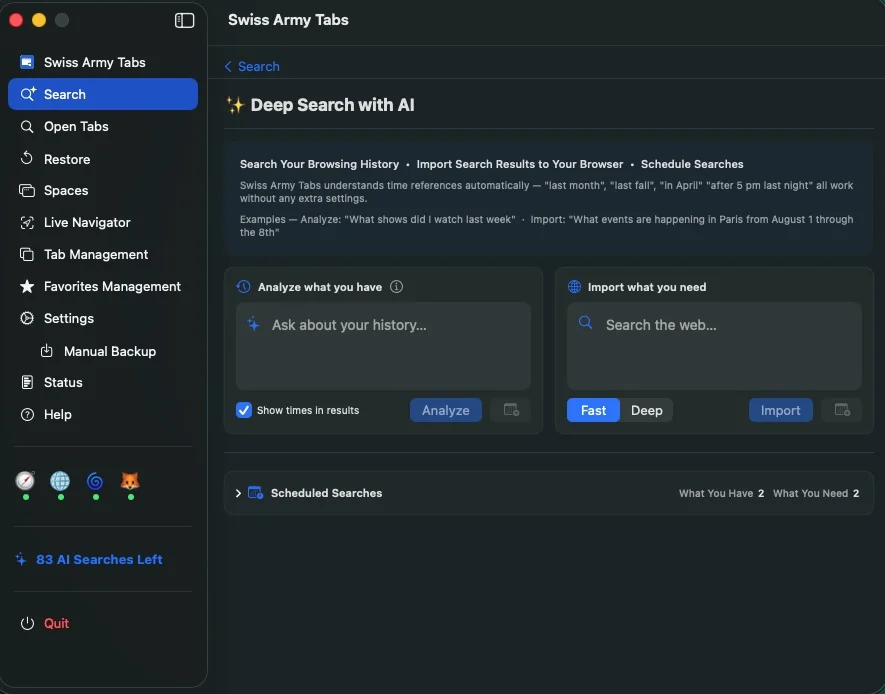
This is a real Deep Search report Swiss Army Tabs wrote from a browsing history, narrated so you can listen instead of read. Swiss Army Tabs writes the report; the voice is for this demo.
Four ways to tame your browser
Deep Search with AI analyzes what you were researching, imports fresh web results into your browser, and can email you recurring digests.
See the tabs in your frontmost browser window as you work, jump straight to any of them, and recover ones you just closed.
Back up browser windows automatically, restore lost tabs and sessions, deduplicate clutter, and transfer between browsers or computers.
Save window workspaces as Spaces, sort hundreds of open tabs into an editable library, and keep favorites in tidy collections.
Spaces
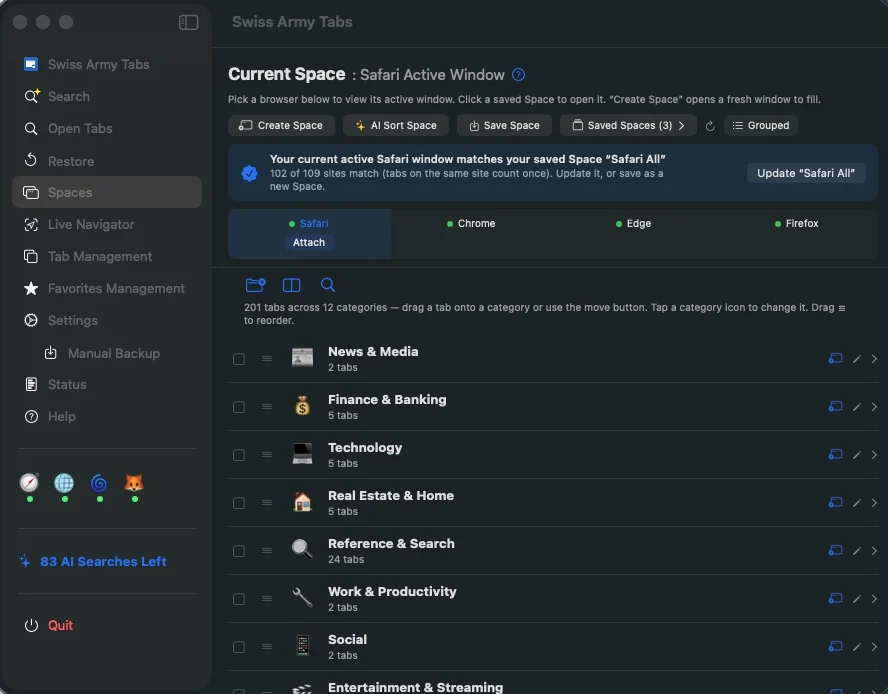
A Space is a named, saved set of browser tabs — organized into folders — that you can reopen in its own window whenever you need it. Let AI sort a messy window into categories, refine them by hand, and reopen the result any time. Your existing browser windows are never rearranged.
See the tabs in your active browser window right now, and arrange them into folders to build a Space.
Let AI sort a full window into categories like Technology, Shopping, and Travel. Move tabs between categories, re-sort a selection, and open or save any category to Favorites.
Reopen a saved Space as its own window — or, if a matching window is already open, jump straight to it instead of duplicating.
Swiss Army Tabs recognizes when the window you’re viewing matches a Space you’ve saved, and offers to update it when it drifts.
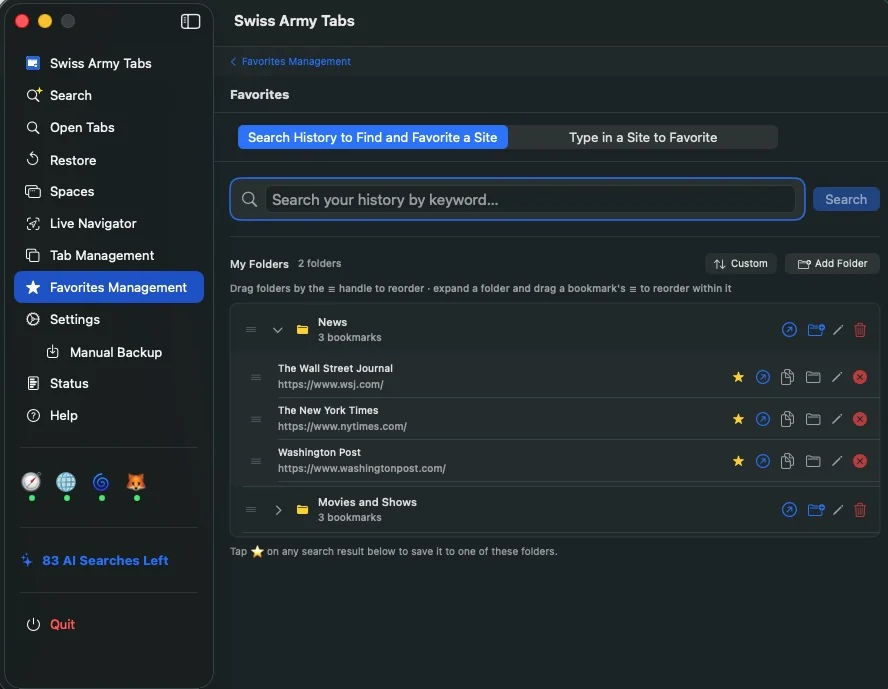
Favorites Management
Add favorites from Deep Search, Keyword Search, History Search, Spaces, or manual entry. Organize URLs into folders, move tabs between folders, sort folders, and keep a portable collection you can export and import.
Simple pricing
Each AI search uses one credit. New users start with ten free searches. When you want more, add consumable credit packs — no subscription and no account, and the purchase is handled entirely by Apple. Backup, restore, live navigation, Spaces, and keyword search don’t use credits at all.
More tools in the kit
Back up Safari, Firefox, Chrome, and Edge on a schedule so important browser sessions can be recovered later.
Bring back lost tabs and browser windows from prior backups instead of digging through ordinary history.
Close a tab from the Live Navigator and bring it right back from the recently-closed list if you change your mind.
Clean up repeated tabs without manually hunting through every window.
Export and import sessions so tabs and favorites can move between browsers or computers.
Repair stale Google redirect and “sorry” links so old search trails become useful again.
Search exact URLs and page titles when you remember a word, phrase, domain, or article title.
Swiss Army Tabs is currently built for macOS Tahoe and has not yet been back-tested on earlier macOS releases.
Screenshots
Private by design
Your backups, browsing archive, favorites, and Spaces stay on your Mac; there’s no account and nothing to upload. You choose which of Safari, Chrome, Edge, and Firefox the app works with. Private and incognito windows are excluded automatically on Chrome, Edge, and Firefox; on Safari, the Safari extension keeps Private windows out. Site icons come from DuckDuckGo’s anonymous favicon service, and AI features run only when you start them.
Swiss Army Tabs for macOS