Navigate your Safari tabs
Open the Swiss Army Tabs navigator inside Safari to search, scroll, and jump between the tabs open on your iPhone.
 Swiss Army Tabs
Swiss Army Tabs for iPhone • Free companion
A free companion to Swiss Army Tabs for Mac. Search your Mac's full browsing history from your phone, navigate and manage your Safari tabs, and send tabs back and forth between your iPhone and your Mac.
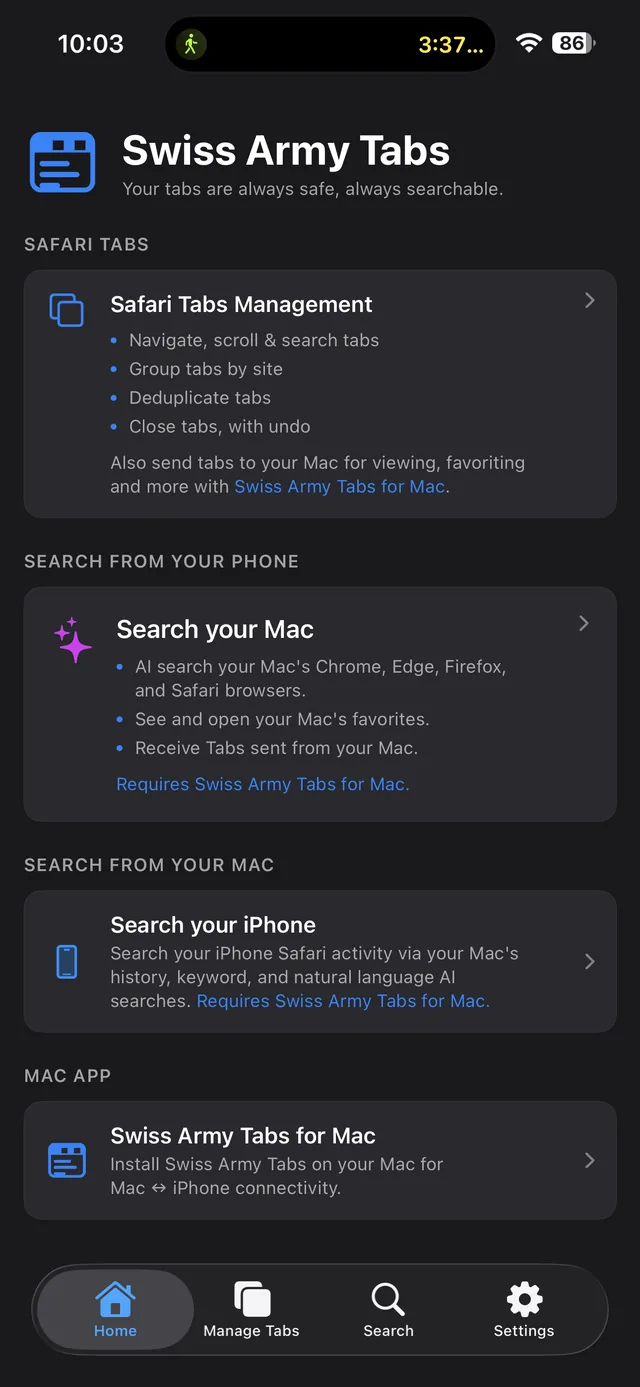
“Everything on your Mac — searchable from your phone.”
What you can do
Manage the Safari tabs on your iPhone, reach across to everything on your Mac, and move tabs between the two — all from one app.
Open the Swiss Army Tabs navigator inside Safari to search, scroll, and jump between the tabs open on your iPhone.
Collapse a long list of open tabs into tidy groups by website so you can find what you need fast.
Spot and clear repeated tabs in a couple of taps instead of hunting through them by hand.
Close tabs right from the navigator — and bring one back if you change your mind.
Push any tab to Swiss Army Tabs on your Mac, and open tabs your Mac sends back to your iPhone.
Ask your Mac's full browsing history in plain language — across Chrome, Edge, Firefox, and Safari — right from your phone.
Browse and open the favorites you saved on your Mac, organized in the same folders.
Optionally let your iPhone Safari activity feed your Mac's history, keyword, and AI searches too.
Search your Mac
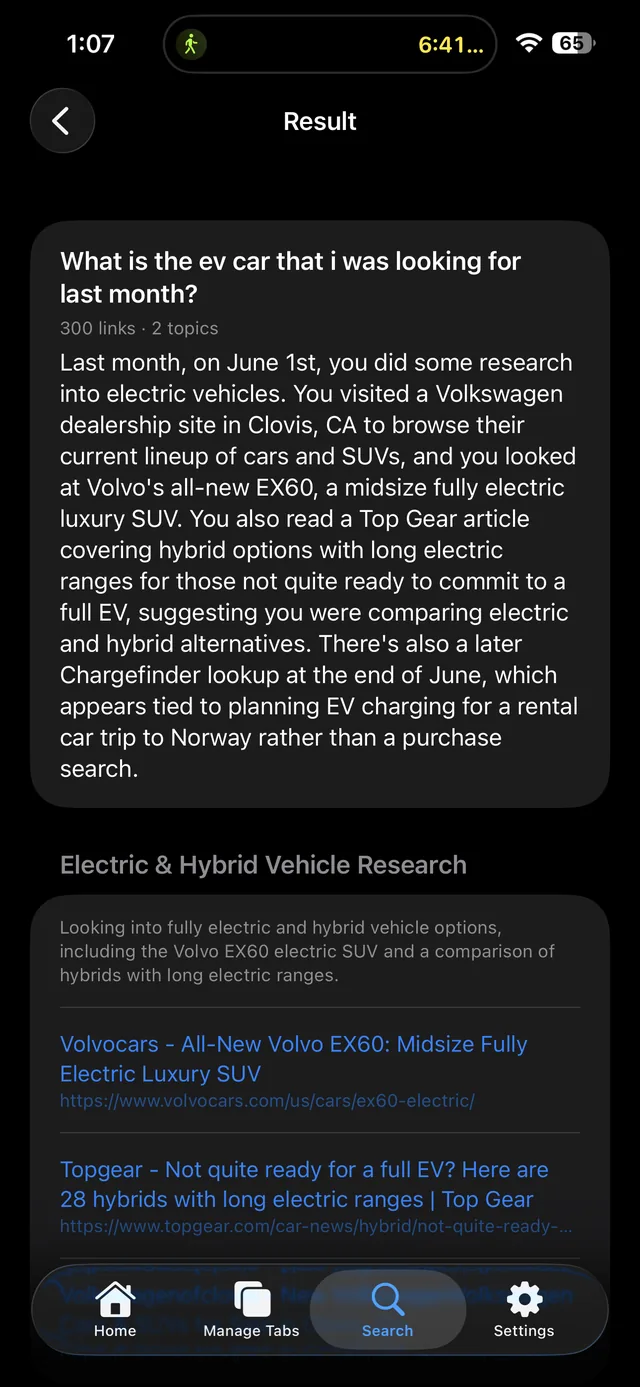
Your Mac holds the full archive; your phone asks the questions. Search by keyword, by history, or in plain language — “what was that EV I looked at last month?” — and get a clear answer with the source links, wherever you are.
Screenshots
Private by design
Tabs sent between your iPhone and Mac, your Mac favorites, and your optional iPhone activity travel through your own private iCloud account — Swiss Army Tabs doesn't host or read them. No account, no ads, no tracking. Both devices simply sign into the same iCloud.
Swiss Army Tabs for iPhone